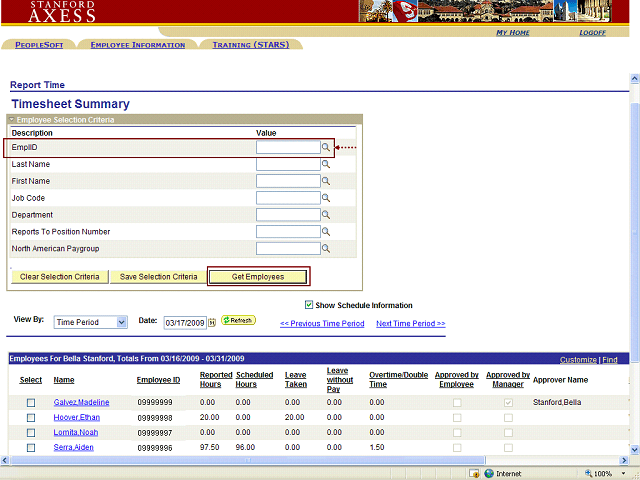
The Timecard Summary page, listing all of your employees, will appear.
You may narrow your employee list by making an entry in any of the available search fields.
For example, you can search for a specific employee by typing his/her Employee ID Number in the EmplID field, and then clicking the Get Employees button.