Timecard Navigations
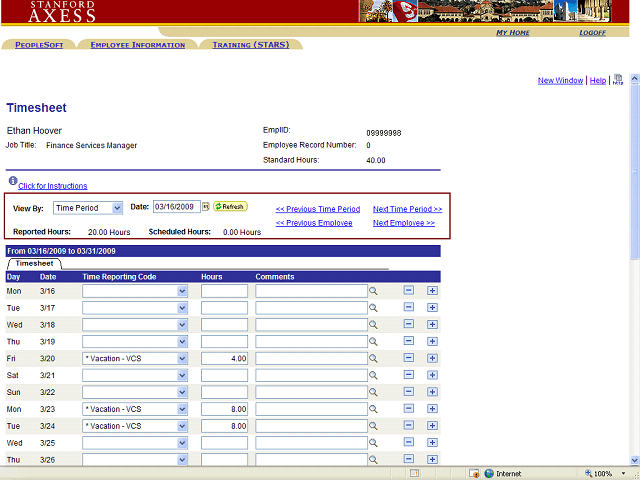
To navigate between employee timecards without approving, click Next Employee or Previous Employee.
To view a timecard from the previous pay period, click Previous Time Period.
To view a timecard for a specific range of dates, select ‘Range of Dates’ then enter the start and end dates of the period that you wish to view. Click ‘Refresh’ to view the timecard(s).